A Pokémon looking unhappy does not always need a bigger house. First check whether it has a home, ask what it needs, then change one thing and check again. Its individual Comfort Level and the area's Environment Level are related, but they are different indicators.
A Pokémon looking unhappy does not always need a bigger house. First check whether it has a home, ask what it needs, then change one thing and check again. Its individual Comfort Level and the area's Environment Level are related, but they are different indicators.
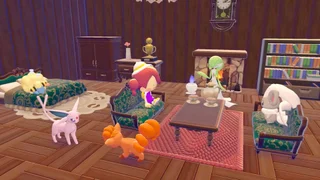
A furnished room shown by Nintendo: a general example, not a before-and-after comparison or proof that these furnishings suit every Pokémon. Reuse permission has not been confirmed.
Start with the lowest rating
Use the computer outside the Pokémon Center in the area to review residents' comfort. Nintendo Life lists ratings from Iffy → Average → Nice → Great → Awesome, plus No Home when the Pokémon has no assigned home. Ask a resident about its comfort for a specific hint, then look up its likes in the Pokédex. Start with one low-rated Pokémon and note its current rating before editing.
| What you see | First thing to try |
|---|---|
| No Home | Give the Pokémon an appropriate habitat or assign it to a house, then check again. |
| It asks for food or furniture | Check its preferences and place or give the matching item; don't assume any random decoration works equally well. |
| It dislikes the surroundings | Compare its preferences with light, humidity, temperature and location; move it or adjust the area. |
| Individual comfort improves but the area is still low | Check other residents and local requests or buildings; the area has more than one contributor. |
At the Pokémon Center PC, press the minus (−) button to view the area’s environment and resident comfort list. For a resident’s preferences, open its Pokédex entry and check “Specialties and Likes”; names or button prompts can vary by language and settings.
Make a home, then tailor it
GamesRadar describes a basic manually built house as an enclosed bottom row of walls with a door and three furniture items inside, followed by assigning a Pokémon. Use the game's recognition and assignment interface to confirm your build; item availability and names depend on progress. A house can help, but residents still have individual preferences.
Ask the Pokémon what it is missing. Nintendo Life says its hints can point to food flavor, decoration, toys or relaxation furniture, and its Pokédex likes provide more detail. Put suitable food on a plate in the habitat or offer it directly. For a dark-preferring Zubat, the guide suggests moving its home into a cave; avoid assuming a bright roommate likes the same conditions.
Change one factor, let the resident interact or revisit, then check its response and rating again. If nothing changes immediately, verify that the item is in the intended home and the Pokémon is assigned there; the sources do not establish a universal wait time or fixed score increase.
If the environment level remains low
Comfort contributes to the area's Environment Level, but Serebii also lists local requests, buildings and kits as contributors. Improving one resident may not be enough to reach the next threshold. Check the area's residents and unfinished requests, and be aware that removing Pokémon from an area can lower its score. Don't spend materials on a large rebuild until you know which requirement is missing.
Sources: Nintendo Life comfort guide, Serebii environment and comfort, GamesRadar home and environment guide, Nintendo image source. Detailed mechanics are based on community and editorial sources, not a claimed personal test.