
Open the map and switch to Jason & Lucia with L1 or LB. Avoid unnecessary casualties and keep jobs controlled to move toward Professional before the rating becomes Irredeemable.
Open the map with the touch pad on PS5 or View on Xbox, then use L1 / LB to reach the Jason & Lucia tab. Select a character to read that character's Criminal Profile. You can also hold Right on the D-pad during gameplay to check the profile icon. Jason and Lucia have separate ratings, so check both before preparing for the finale. PowerPyx's map tab and icon guide, GTABase's profile breakdown
All five Criminal Profiles
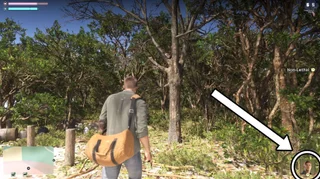
Hold Right on the D-pad to see the profile indicator during play.
| Profile | What the game is tracking | What to do if you want a lower rating |
|---|---|---|
| Professional | Controlled work with few or no casualties and little unnecessary aggression | Use objective interactions, stealth and clean exits so the profile stays here. |
| Hardened | More frequent force against enemies | Reduce the force used in the next jobs and try to complete objectives undetected. |
| Violent | Heavier force and escalating harm, especially where civilians or police get involved | Cut the collateral damage in free roam and avoid fights you can finish with a different objective interaction. |
| Psycho | Repeated severe violence against civilians, police or vulnerable animals | Stop escalating and return to controlled missions. Check for the cracked icon before the profile becomes permanent. |
| Irredeemable | The permanent state reached after continued extreme behavior | To return to a lower rating, load a manual slot from before it became permanent if you have one. |
Wanted stars describe the active pursuit. The Criminal Profile persists in free roam and across jobs, even after the stars go away. At Psycho or Irredeemable, expect a more aggressive police response and fewer opportunities to surrender. Profile also changes which actions refill Focus. Stealth takedowns can refill it on Professional or Hardened. Headshots do so on Violent and Psycho. Check the focus bar during the relevant action if you're trying to learn what your current profile rewards. PowerPyx's profile and Focus effects, GTABase's profile-level behavior
Lower the rating by changing how you complete jobs
Start with the character whose profile you want to change. Record the text in the Jason & Lucia tab and keep a separate save if the character is already Psycho. In the next mission, use stealth where available, follow the required interactions and leave enemies alone when the game lets you walk past. If a mission requires you to stop an enemy, use a qualifying incapacitation action when there is one. Compare the game feedback and profile after the job, once you're back in ordinary free roam.
At a marked store robbery, use Threaten to move the job along and leave when you have what the objective asks for. The game's Help describes threats as compatible with Professional play. In The Cartel Heist, disarm a guard who draws to preserve that rating. The lobby walkthrough explains where that can happen. GTABase's Professional and robbery behavior, PowerPyx's bank lobby instructions
In free roam, avoid harming civilians and domestic animals while you are working on the profile. Feed Dolores in Chapter 1 or pet cats and dogs when the game offers the interaction. Finish the next mission with as little unnecessary force as possible. The menu gives the current level. It does not give you a countdown telling you how many clean interactions remain. GTABase's lower-profile actions and animal interactions
Read the feedback after an encounter
| What you see | What it tells you | What to check next |
|---|---|---|
| The wanted stars disappear | The current pursuit has ended. | Open Jason & Lucia to see whether the long-term profile also changed. |
| A yellow hit marker in combat | The game can use it to indicate incapacitation. | Leave the downed enemy alone and finish the mission objective. Look for any profile notification afterward. |
| Focus rises after a stealth takedown | The action can refill Focus on Professional or Hardened. | Check the profile text when you need to know which rating you're on. A full Focus bar can hide the refill. |
| Psycho icon cracks | Your behavior is close to a permanent profile change. | Stop the run, check the current rating and keep a save before doing another job. |
| One character returns to free roam with a different label | The two characters maintain their own profiles, though actions while together can affect them. | Select each character in the profile tab and note which one you want to improve. |
To compare outcomes, keep a save before a job and check the same character after each run. If you want to retry a mission sooner, use Retry From Checkpoint when the game offers it. Use the earlier manual slot for actions that happened before the checkpoint. PowerPyx's profile indicators, GTABase's checkpoint and recovery advice
What to check at the cracked Psycho icon
If the icon cracks, stop the run that caused it. Once you're out of pursuit, check each character's status. Use a separate slot before taking on another risky job. If you are still Psycho, switch to controlled story and free-roam activities and monitor the profile after each run. If the menu already reads Irredeemable, use an earlier slot to return to a different profile. The game can let you play on with the permanent state, so decide which save to continue before overwriting the earlier one. GTABase's breaking point and permanent state, Manual save and recovery guide
How this affects the finale
A severe profile can turn the bridge escape fatal. If you want the reunion, check that both characters are Professional before choosing Proceed at Abe's office. Keep a separate save and watch for the timed Exit prompt if you choose Swim for It. The finale guide walks through the relationship and savings checks as well as the choices at the bridge. GTABase's finale states
Sources
Revision history
— Recently updated