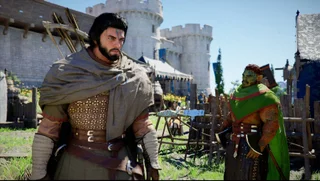
Crimson Desert first hours: follow the story, stock food and open a route home
Your first goal is not to clear the entire map. Follow the early story until you can move freely around Hernand, learn your own guard and evade inputs, and prepare food before challenging unfamiliar enemies. Explore nearby when curious, then return to the quest if a marker requires a skill you do not yet have.
Getting startedPCPlayStationXboxCrimson Desert parry and dodge: practise one enemy attack at a time
Start with a single manageable enemy and watch one attack from start to finish. Hold guard for a safer first observation, then try a timed guard near impact; use dodge to leave the attack path when blocking is risky. Do not assume every boss move can be blocked or parried.
WalkthroughsPCPlayStationXboxCrimson Desert early gear upgrades: start at the Hernand blacksmith
Bring the weapon you actually use to the Hernand blacksmith, open Refinement and inspect the materials for its next level. Gather only what that screen requests, then upgrade one item and compare its stats. Do the same for armor you plan to keep; early material lists vary by equipment.
ItemsPCPlayStationXboxCrimson Desert fast travel: unlock a Nexus and get back to it
Find an Abyss Nexus, step into its circular stone plate until it activates, then use its unlocked marker on the world map. Not every question mark leads to fast travel, and some other points require a puzzle or story ability first.
WalkthroughsPCPlayStationXboxCrimson Desert quest not progressing? Check the active character and interaction first
Before repeating the entire quest, note the exact objective and active character. Then compare the symptom with Pearl Abyss's current Known Issues and your installed version. A missing interaction may be a temporary game issue; it is not automatically proof that your save is ruined.
TroubleshootingPCPlayStationXboxCrimson Desert PC performance: find a stable graphics baseline
Start with a repeatable scene and change one video setting at a time. A lower setting that improves the frame rate but makes the image too unclear to play is not automatically the best choice. Aim for a balance you can hold during the encounters you actually play.
TroubleshootingPCCrimson Desert healing food: prepare a simple field supply before a fight
Before leaving a safe area, carry food whose item description actually restores Health and put it in a usable quick slot. Gather ingredients, cook at a campfire or cooking station, and check the resulting item's effects before a dangerous encounter. Some foods restore other resources instead, so do not assume every meal heals HP.
ItemsPCPlayStationXboxCrimson Desert Dragon’s Stone Chamber: turn the three dials
The optional Dragon’s Stone Chamber under Greymane Camp has three rotating pictures. You can solve them directly, or search the Anvil Hill area for the murals marked on the chamber’s maps.
WalkthroughsPCPlayStationXboxCrimson Desert early skills: a practical first build
Start with the problem that loses you fights: empty stamina, low health, or attacks you cannot use safely. Spend on one improvement, try it, then choose the next.
BuildsPCPlayStationXboxCrimson Desert Kailok the Hornsplitter: survive the waves and counter briefly
Kailok is an early main-story boss, though not necessarily the first boss every player encounters. Bring healing food, keep enough stamina to defend and focus on short, repeatable openings. Community guides describe his broad sword waves and a period in which he becomes difficult to damage; this draft has not been tested in-game on your version.
WalkthroughsPCPlayStationXboxCrimson Desert inventory full? What to keep before selling
Keep rare or unfamiliar materials, gear you may use, and ingredients for your next upgrade. Move them to Private Storage first; selling is harder to undo.
ItemsPCPlayStationXboxCrimson Desert save won’t load or controls misbehave? Try these checks first
Start by identifying which platform, game version, save and input device are affected. Preserve the existing save before trying changes, then test one thing at a time. A loading problem and a control problem may have different causes, even when they appear after the same update.
TroubleshootingPCPlayStationXbox