CS2 beginner modes: where to start and what each round asks you to do
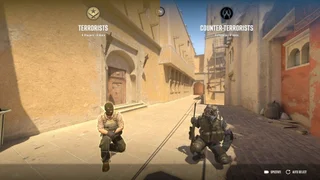
Start with Deathmatch to practise aiming and moving without waiting for a round to end, then try Casual to learn the bomb sites with teammates. Move to Competitive when you can follow the objective and want a more structured match. Premier is a separate option with account requirements.
Getting startedPCCS2 sensitivity and crosshair: find a baseline you can actually use
Start with a sensitivity that lets you turn comfortably without losing control of small aim adjustments, then choose a crosshair you can see against both light and dark surfaces. Keep that setup for several practice sessions before changing it. A professional player's settings are a reference, not a guaranteed fit for your mouse, desk or hand movement.
BuildsPCCS2 counter-strafe and burst firing: a practice routine that makes sense
If your shots scatter as you peek, separate the actions: move, stop, then fire a short burst. Start slowly. The goal is a repeatable stop and a tight cluster, not pressing keys as fast as possible.
WalkthroughsPCCS2 economy for beginners: when to buy, save or keep a weapon
Before buying, look at your team's money and equipment together, not only your own balance. The aim is to have several teammates equipped for the same round, while keeping enough for a useful next round if this one goes badly. Use the current buy menu's prices and next-round information; rewards and costs can change.
ItemsPCCS2 Mirage callouts: learn A, Mid and B without getting lost
Start with a few shared names rather than memorising every box. Names vary between teams and regions: add the site and enemy direction if a callout is unfamiliar.
WalkthroughsPCMirage Window smoke in CS2: practice one T-spawn lineup
A Window smoke can block a common Mid sightline while your team moves up. It does not protect every angle: tell your teammates when it lands and watch Connector and Short as well.
WalkthroughsPCCS2 bomb plant and retake: what to do after the site falls
Once the bomb is planted, kills alone do not secure the round for CT. The attacker's job is to protect the bomb; the defender must finish a defuse in time.
WalkthroughsPCCS2 stuttering or lagging? Separate FPS problems from network trouble
Before changing every graphics setting, compare a local practice session with an online match on the same map. If both stutter, investigate frame performance first. If local play is smooth but online players jump or your position snaps back, look at the network. Both problems can occur at once.
TroubleshootingPC