
Practice spotting wounds, positioning and timing Focus Strikes with different weapons.
Draw your weapon and enter Focus Mode, aim your view and reticle at a monster's wound, then use your weapon's Focus Strike from a safe distance. A successful hit can break the wound and create an opening for follow-up attacks. The move takes time, however, so dodge first if the monster is about to attack rather than forcing a wound strike.
Focus Mode and wounds: the difference
Focus Mode lets you adjust attack direction more precisely and see wounds on a monster more clearly. Repeated attacks on the same part can create a wound. Ordinary attacks can also break a wound; a Focus Strike is not mandatory. Weak points and wounds are not always in easy reach, and a head or tail can move rapidly as the monster moves.
For example, with a melee weapon drawn and default controller bindings, hold L2 on PlayStation to enter Focus Mode, then press R1. On Xbox, hold LT, then press RB. Enter Focus Mode before pressing the attack button to avoid sheathing by reversing the order. For keyboard and mouse, check the Focus Mode and Focus Strike bindings in system keyboard settings. Bindings may differ by device, weapon and customization; without mouse side buttons, rebind to a key you can comfortably reach.
One complete sequence
- Hunt an early monster with a familiar weapon. Watch its attack wind-ups and recovery first instead of standing in front and repeatedly attacking immediately.
- After an attack misses, approach a part you can safely reach and use short combos on that same part to build damage. When a wound appears, first check that you still have enough stamina and room to retreat.
- Enter Focus Mode and move the camera onto the wound. Stay within the weapon's effective range, wait for the monster to turn or finish attacking, then use a Focus Strike.
- If the wound breaks and the monster staggers, follow with an attack sequence you can complete. Stop, sheathe or dodge early as it begins to recover.
If you miss, check whether you were too far away, the camera failed to track it, or the monster moved during the attack. Next time close the distance or wait for a longer opening instead of repeatedly swinging at empty air.
Melee and ranged differences
Slower weapons such as Great Sword or Hammer need more time to approach and execute the move. Sword and Shield or Dual Blades can reposition with shorter actions, but still risk overcommitting. Bow and Bowguns must manage aim and effective range; even when a wound is visible, the wrong distance can make consistent hits difficult.
Each weapon has a different Focus Strike and follow-up. Test it in the training area using that weapon's controls; do not automatically reuse the previous weapon's button rhythm. Nor is every glowing part safe to attack without regard for the monster: check its facing first.
Suggested practice
In the first hunt, only observe and find one part you can attack safely. In the second, create a wound on that part and attempt one Focus Strike. In the third, practice not overcommitting after a hit and retreat to the side before the monster gets up. If holding the control causes frequent mistakes, check the hold or toggle setting for Focus Mode.
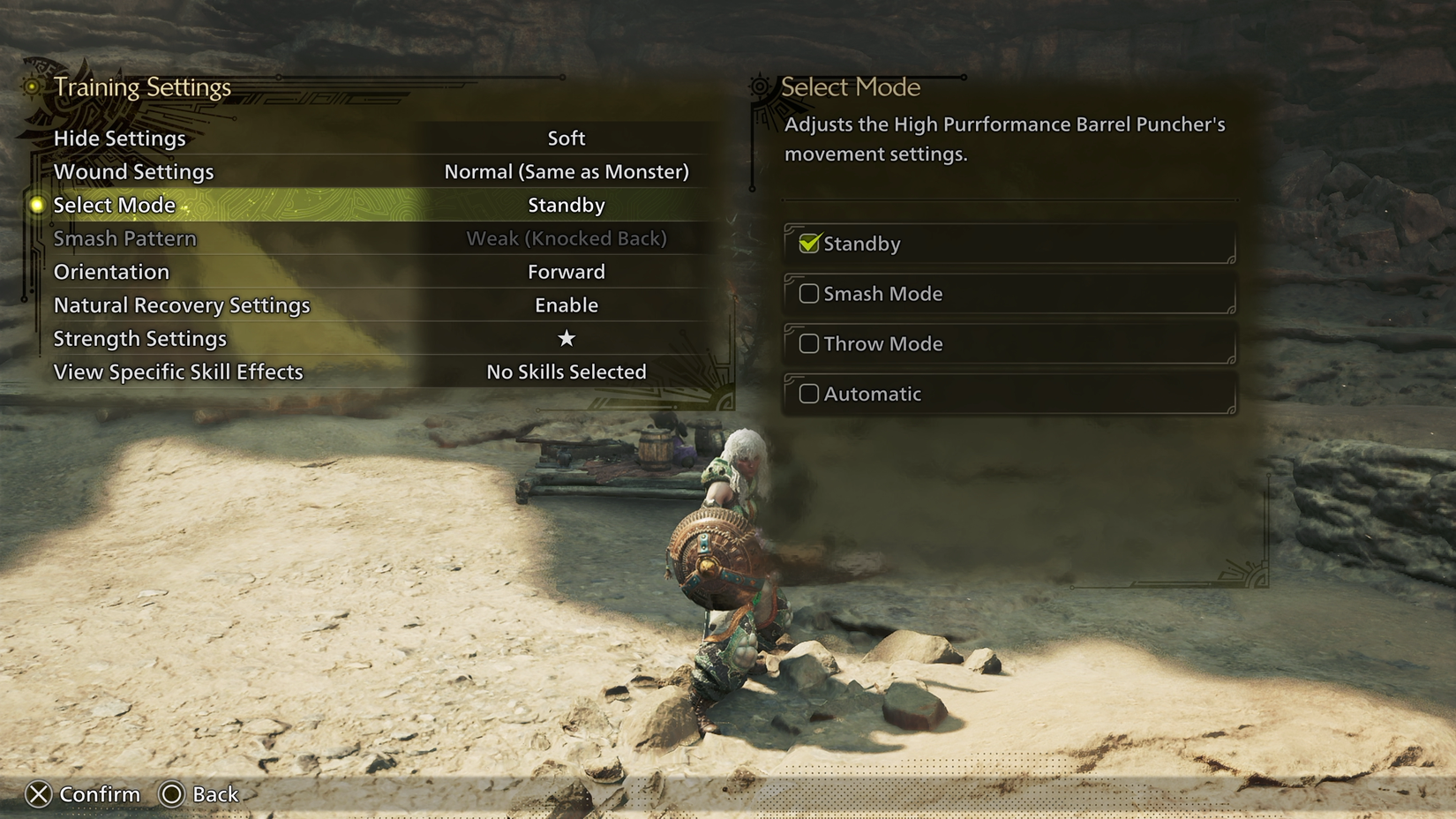
Image: training area settings, with Wound Settings and the practice target's action mode visible on the left. The English interface and actual settings should be checked in game. Source: Polygon beginner guide; image usage rights unverified.
Sources
Revision history
— Recently updated